Payments Access
Payments has two access layers: human dashboard access is controlled at the team level, while Payments API keys are scoped to one environment.
Payments UI access
Payments dashboard access follows the user's team permissions.
- Read: view supported wallets, balances, payments, and related resources across the team's Payments environments.
- Write: create or manage supported Payments resources, create environment API keys, and perform permitted payment actions across the team's Payments environments.
Team-level UI Write cannot be limited to only staging or only production within one team. When human UI access must be isolated between environments, use a separate team boundary.
Payments API key access
Payments API keys are scoped to one environment and sent in the x-api-key header.
- Read: view supported resources in that environment.
- Write: create or manage supported writable resources in that environment.
A Payments API key does not grant access to another environment, an Infrastructure API key, or an LND macaroon.
Dashboard key setup
Open the selected environment's API Keys page to list or create Payments API keys. The creation form supports a descriptive name, Read and Write permissions, and an optional IP allowlist.
The plaintext key is a one-time result after creation. Never include it in screenshots or documentation; close the result after storing it in an approved secret manager.
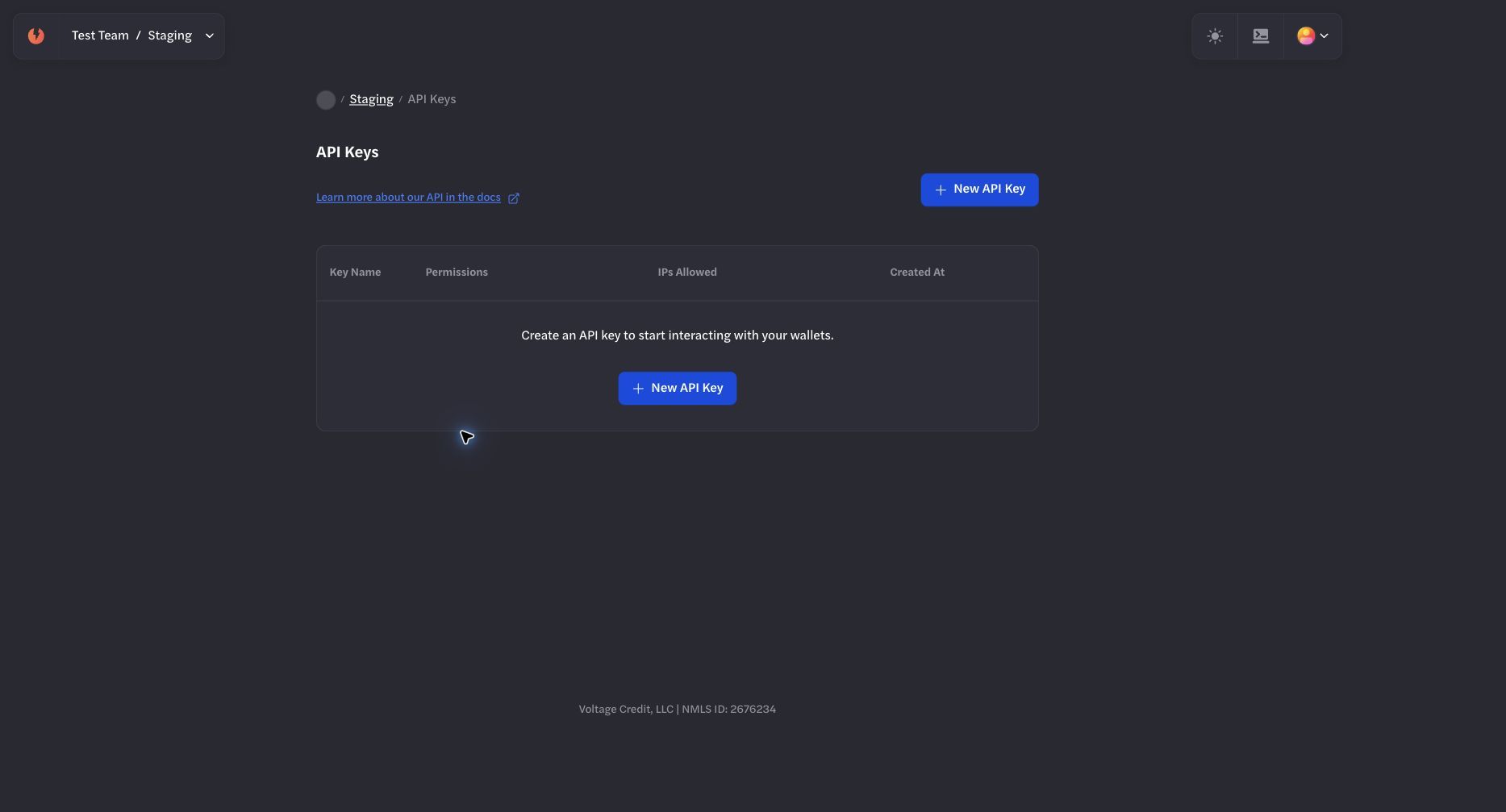
Payments API keys are listed and created within the selected environment.
Recommended pattern
- Use separate staging and production environments.
- Give people Team Read or Write only when they need dashboard access.
- Use a separate team when ongoing human staging and production UI access must be isolated.
- Issue a dedicated environment-scoped API key to each application or service.
- Apply Read or Write permissions according to the service's actual workflow.
- Review and remove access during role changes, incidents, and production launches.
Production key hygiene
- Use separate keys for separate services.
- Use descriptive names that include the environment and purpose.
- Apply least privilege.
- Restrict production keys by IP when the calling network is stable.
- Store keys in an approved secrets manager.
- Rotate or delete keys when team membership, service ownership, or infrastructure changes.
IP allowlisting
Restrict an API key to the specific IP addresses or ranges used by its service when possible. Leave the allowlist empty only when the service must call from changing or unbounded source addresses.
Review allowlists during network changes, incident response, and production launches.
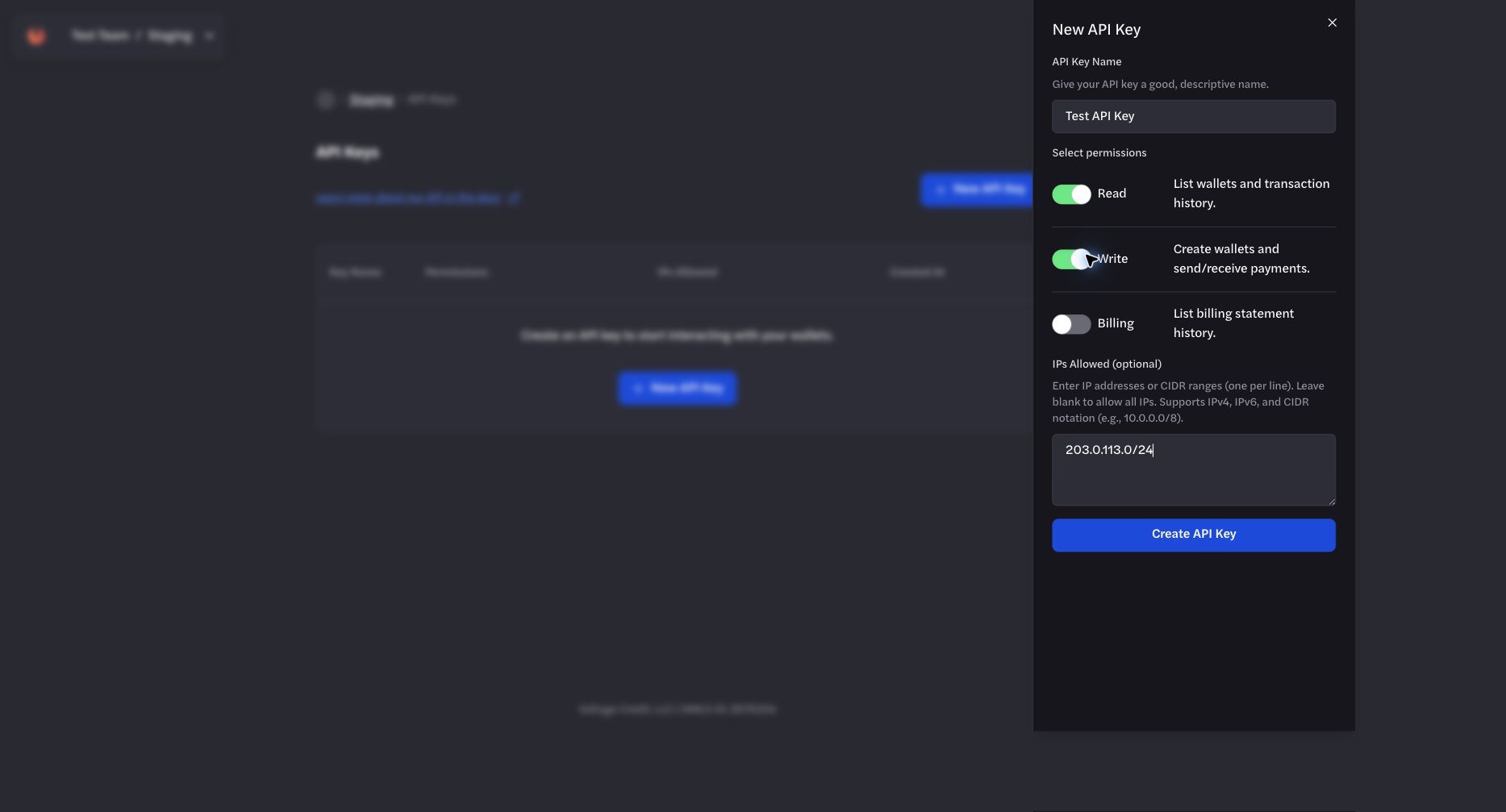
Apply least privilege and restrict the key to stable source addresses when possible.
Webhook secrets
Webhook signing secrets are separate from API keys. Store them securely and verify each webhook signature before accepting or processing the event.
Use the maintained Payments Webhooks documentation for key generation, signature verification, delivery handling, and reconciliation.
API reference
Payments API base URL:
OpenAPI reference: