Manage bank accounts for a USD line of credit
If your team has a USD line of credit, you can add ACH bank accounts in the Voltage dashboard and choose which account handles each purpose. This lets you use one account for repayments and fees and another to receive payouts of a positive, surplus balance.
What each account is used for
Purpose in the dashboard | What happens |
|---|---|
Balance | Surplus funds from your USD line of credit are deposited into this account. |
Collection | Line of credit repayments are collected from this account. |
Fee | Service fees are charged to this account. |
You can assign all three purposes to one account or split them across different accounts. Each purpose needs an assigned account. The Purpose Allocation cards show the account currently used for each purpose.
Add a bank account
- Open your team in the Voltage dashboard and select Manage Lines of Credit.
- If your team has lines of credit in more than one currency, select the USD line of credit.
- Scroll to Bank Accounts, then select Add Account.
- Enter an Account Label to identify the account, the Account Holder Name, the nine-digit Routing Number, and the Account Number. ACH is the transfer type. Choose Checking or Savings for the account type.
- Review the Purposes. Your first bank account serves Balance, Collection, and Fee by default. For an additional account, select the purposes it should take over.
- Select Add Account. If a selected purpose is already assigned to another account, review the reassignment shown in the form and select Confirm & Add Account.
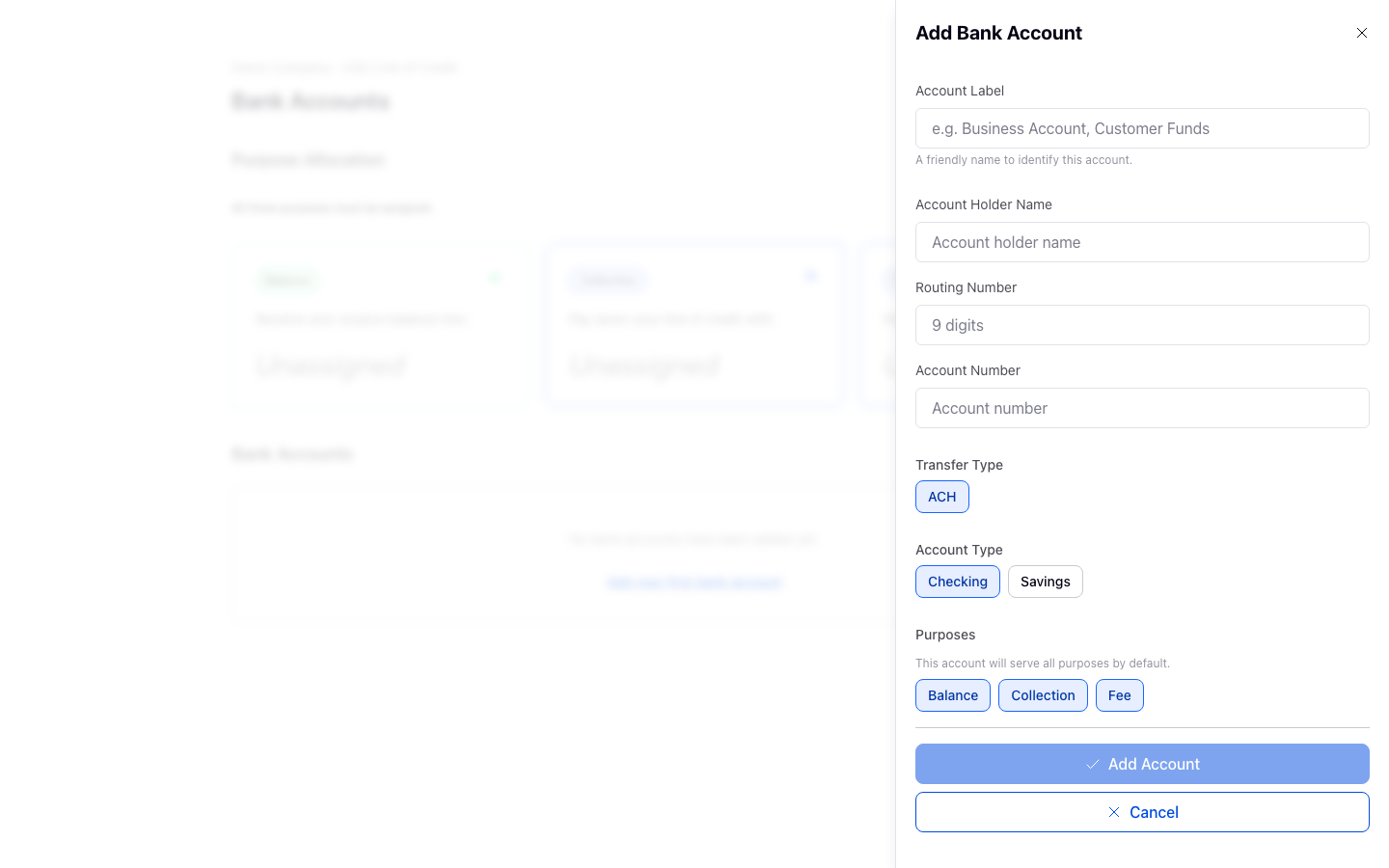
The screenshots use fictional sample data. Do not use sample routing or account numbers when adding your own account.
After adding the account, check the Purpose Allocation cards and the Bank Accounts table to confirm which account handles each purpose. The table shows only the last four digits of each account number.
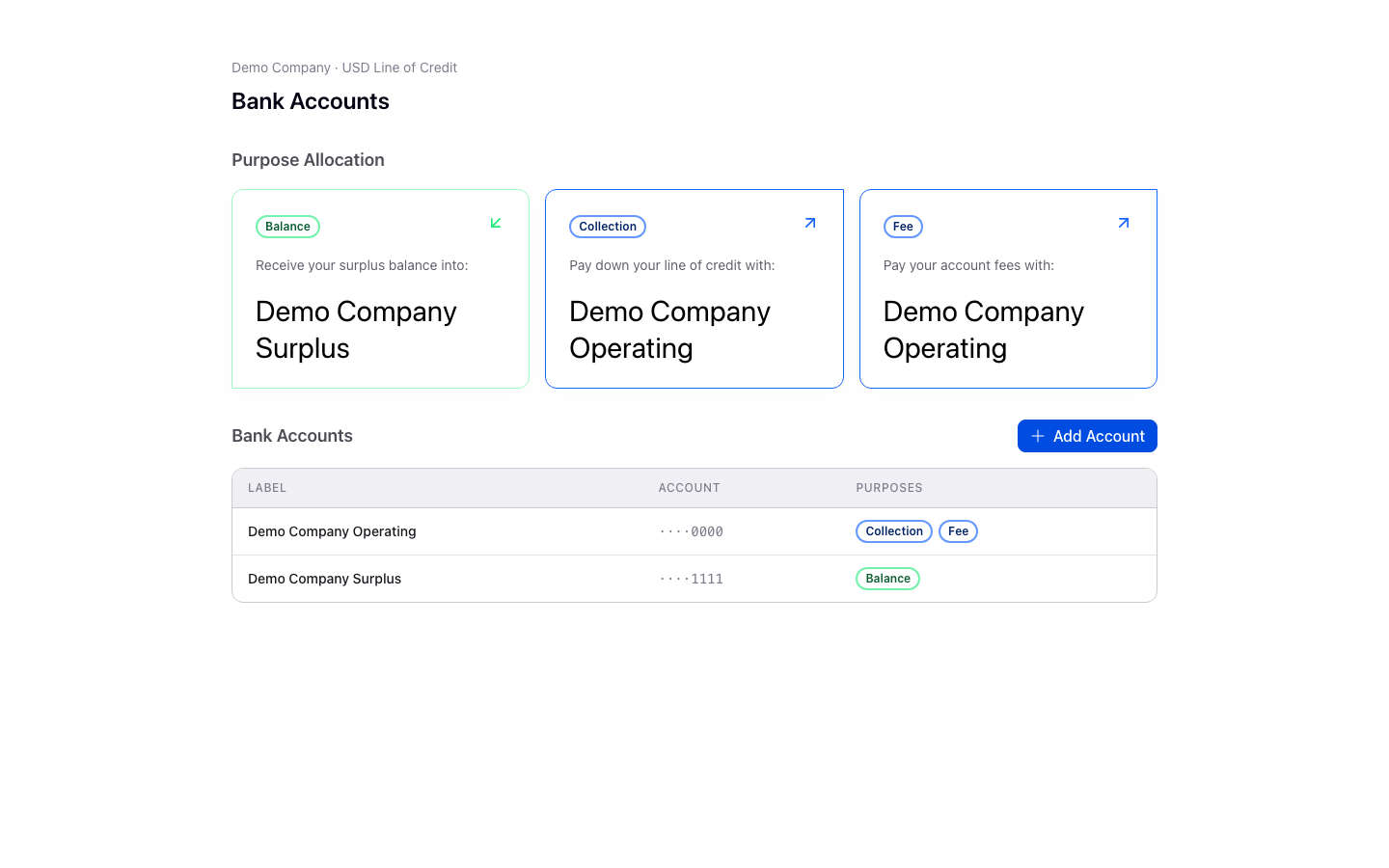
Change an account's purposes
Select an account in the Bank Accounts table to open Bank Account Details. You can change its label or select the purposes it should serve, then select Save. If a purpose is assigned to another account, the dashboard shows where it will move and asks you to confirm before saving.
To replace an account, add the new account and assign its purposes first. An account with active purposes cannot be deleted; once no purposes are assigned to the old account, you can delete it from Bank Account Details. The dashboard allows up to four bank accounts on a USD line of credit.
You cannot change an existing account's routing or account number in Bank Account Details. Add a replacement account when those details change.